An iPhone alarm for overnight and early shifts
Stirrup sets alarms from your work schedule and makes them hard to sleep through. If you still miss one, Stirrup texts a Backup Contact you choose, who can check on you or help arrange coverage.
Backup Contact texts are in testing and are not sending yet.
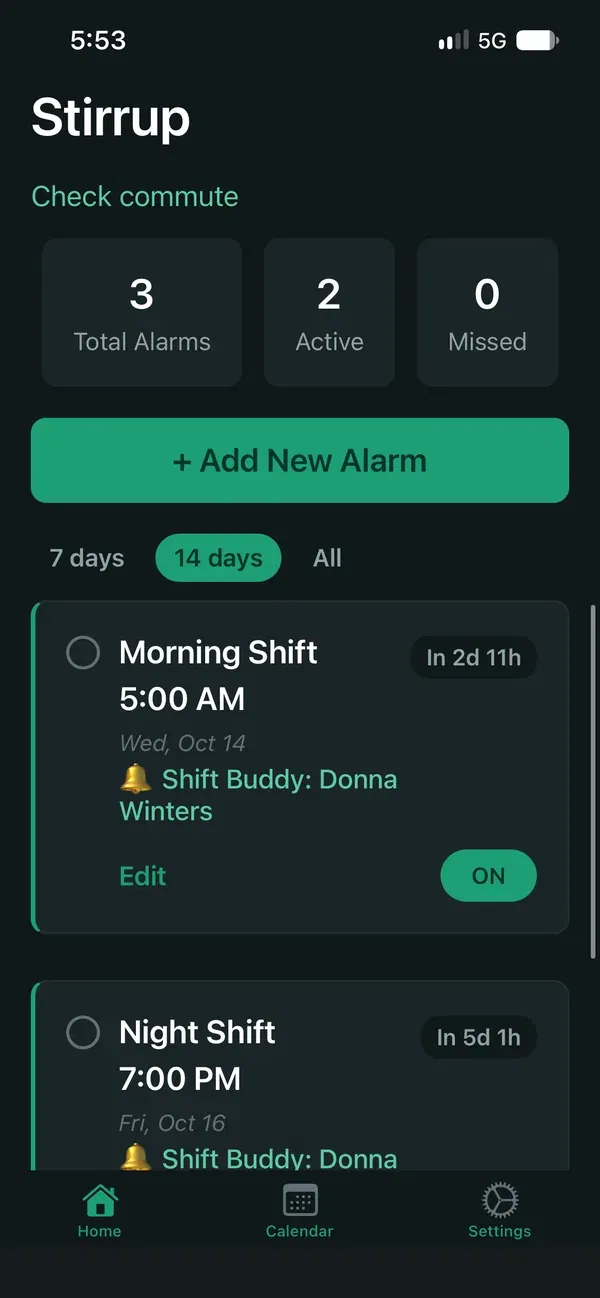
Upcoming shift alarms
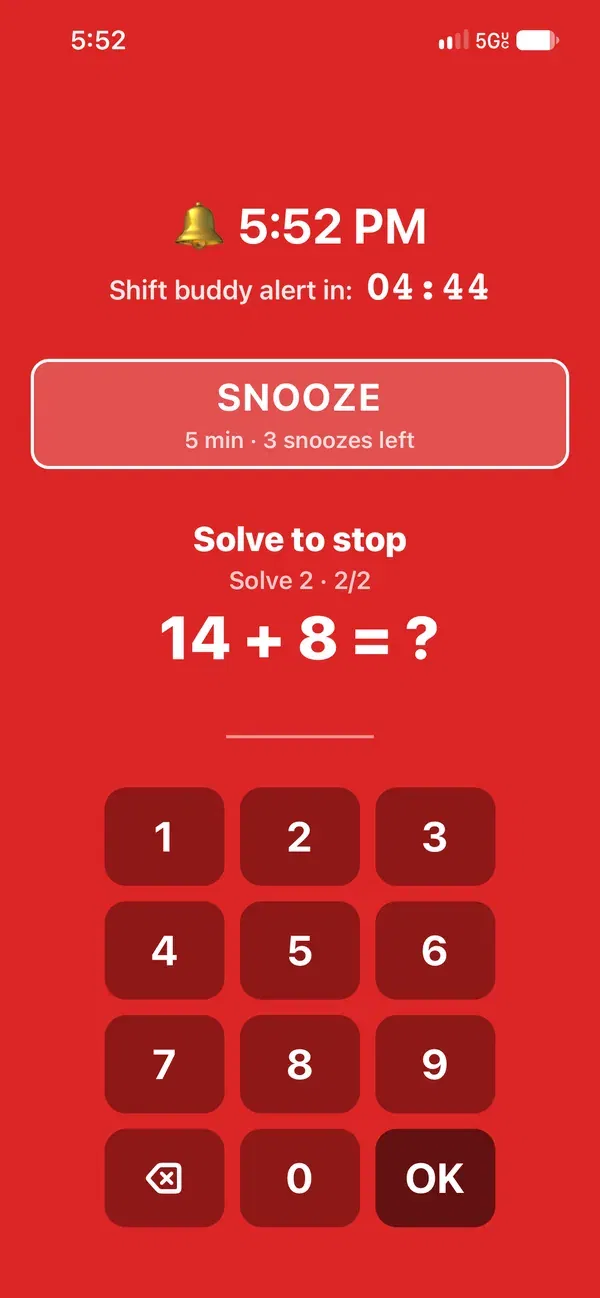
A Stop Challenge on the ringing screen
Stop Challenges
A swipe while half asleep often isn’t enough to wake someone for an overnight or early shift. With Stop Challenges on, the worker solves a short math or memory puzzle before a ringing alarm fully stops. Challenges are off unless the worker turns them on.
Snoozes are capped at 3, and the ringing screen shows how many are left before the alarm has to be stopped.
On iOS 26 and later, Stirrup uses Apple’s system alarm, so it can ring when the phone is locked, silent, or in Focus.
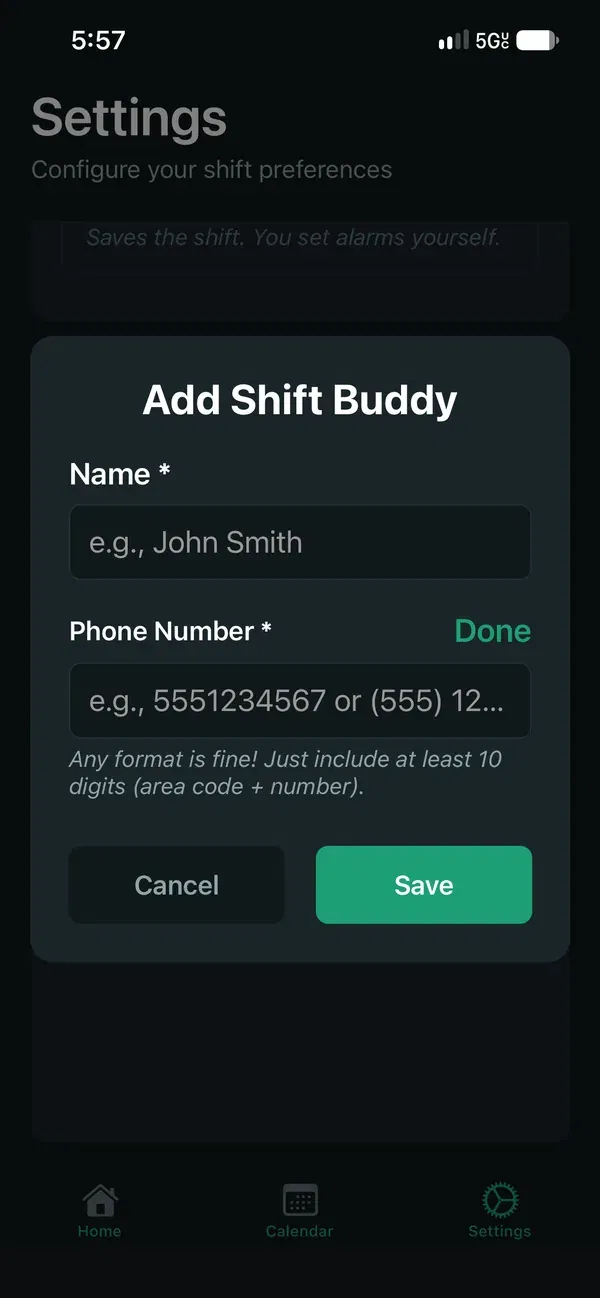
Adding a Backup Contact
Backup Contact
Adding a Backup Contact is optional. If a ringing alarm isn’t stopped within about 5 minutes, Stirrup texts that person. The text includes the worker’s name, the alarm time, and the worker’s phone number if they added one.
During testing, the phone shows a test notice instead of sending the text.
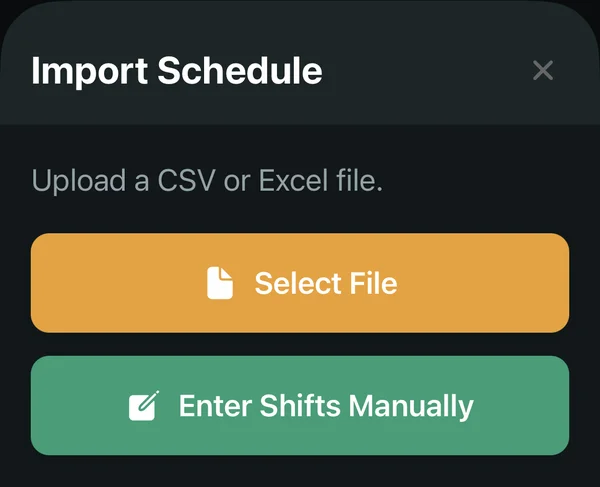
Schedule
Upload a CSV or Excel schedule, or enter shifts manually. Stirrup sets an alarm for each shift, and the Shift Alarm Buffer sets how many minutes before the start it rings.
Weather and traffic
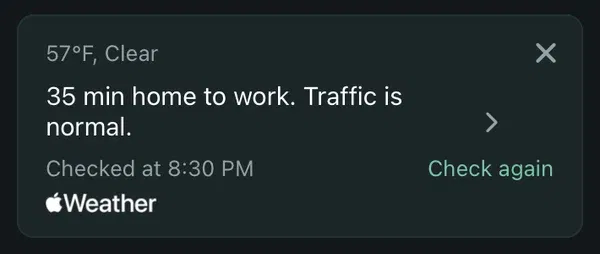
After an alarm is stopped, the commute card shows the weather at home and traffic updates for the drive to work, with a tap for directions in Apple Maps. It uses a saved home and work place, which stay on the phone.
What a supervisor can see
Stirrup was built for workers first. People won’t keep an app on their phone that reports on them, so Stirrup doesn’t. Workplaces don’t get a list of who missed their alarm today. If Stirrup later shows supervisors a report, it is team totals only. That report would not include names, Backup Contact phone numbers, or a live alert that someone is still asleep.
Stirrup works without creating an account. Alarms, settings, and Backup Contact numbers stay on the phone.
Who builds Stirrup
My name is Aaron Allen. I created Stirrup to solve problems I encountered while working overnight and early shifts in local TV news, where a broadcast depends on everyone, from the cleaning crew to the anchors, getting in on time.
I was a per diem writer, and my shifts were assigned through a scheduling app I sometimes didn’t check closely enough. I missed or was badly late to a handful of shifts early on. Sometimes I didn’t know I was on the schedule. Sometimes my alarm didn’t go off, or maybe I forgot to set it. Who knows? Each time, a producer called me from the middle of the newsroom, so the whole floor knew I wasn’t there.
After a rough period, I began obsessing over alarms, triple-checking my schedule and wake-up calls before going to bed. It worked, but things shouldn’t be that hard. Stirrup sets alarms from your work schedule, makes them hard to sleep through, and alerts a person you trust if you ever oversleep, instead of leaving it to your supervisor. Stirrup was created in Chicago by New Lands Group LLC.
Request a pilot
Stirrup is in testing on iPhone and is not in the App Store yet. To talk about a pilot, email or call. It helps to include your industry, number of locations, about how many people work overnight or early shifts, and the scheduling software you use.